
Download Qumana – Free Mac Blog Editor & Publishing Tool
Overview
Qumana is a lightweight, free blogging editor designed exclusively for macOS users who want a simple yet powerful way to create, edit, and publish blog posts without the overhead of heavyweight web‑based platforms. First introduced to the catalog in 2006, Qumana has quietly amassed over 600 downloads, earning a reputation among niche bloggers for its minimal footprint and straightforward interface. The current version 3.0.0, released on 9 August 2006, still runs smoothly on modern macOS versions while preserving compatibility with older Mac OS X releases.
Built under the Internet software category with a focus on Web‑based blogging, Qumana delivers a desktop‑centric workflow that lets writers draft content offline, format posts with rich‑text tools, and push the final article directly to their preferred blogging service via built‑in publishing shortcuts. Because it is offered completely free of charge and occupies far less disk space than typical internet software suites, Qumana is an attractive option for students, hobbyists, and professional writers who value speed, security, and an uncluttered workspace. The program is available only in English, which simplifies documentation and community support, and it integrates seamlessly with popular macOS features such as the Services menu, Spotlight indexing, and native file handling.
Whether you run a personal travel diary, a tech review site, or a corporate news blog, Qumana’s streamlined design helps you stay focused on content creation rather than battling complex UI layers or unnecessary plug‑ins.
Key Features of Qumana
- Offline Drafting: Write and format posts without an internet connection; all changes are saved locally until you decide to publish.
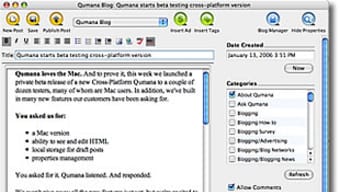
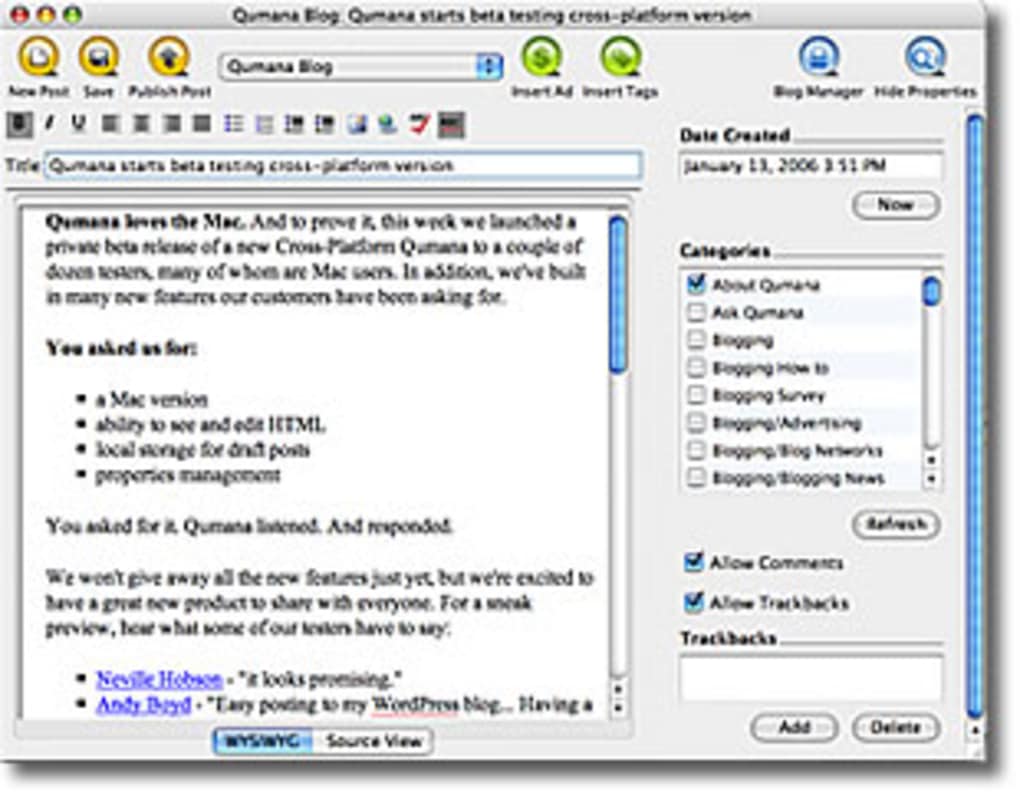
- Rich‑Text Formatting: Full support for headings, lists, blockquotes, hyperlinks, and image embedding with a WYSIWYG editor that mirrors the final output.
- One‑Click Publishing: Connect your blog’s XML‑RPC or REST endpoint and publish directly from the app with a single button press.
- Template Management: Store reusable post templates for recurring series, product reviews, or newsletters to speed up content creation.
- Tag & Category Organizer: Assign tags and categories on the fly; Qumana automatically suggests existing taxonomy to maintain consistency.
- Spell‑Check & Grammar Suggestions: Integrated macOS spell‑check engine with optional grammar tips to keep your writing polished.
- Media Library Integration: Drag‑and‑drop images, audio, or video files into the editor; Qumana creates the appropriate HTML markup automatically.
- Version History: Keep track of changes with a simple version log, allowing you to revert to earlier drafts if needed.
- Lightweight Footprint: The installer is under 15 MB, and the app consumes minimal RAM, making it ideal for older Mac hardware.
- Secure Authentication: Supports OAuth and API key authentication, ensuring your login credentials are never stored in plain text.
Installation, Compatibility & Pros / Cons
Qumana is built specifically for macOS and runs on all versions from Mac OS X 10.5 (Leopard) up to the latest macOS releases at the time of writing. The installer is a standard .dmg package that follows Apple’s conventions, allowing users to drag the Qumana icon into the Applications folder. Because the software is coded in native Objective‑C and leverages Cocoa frameworks, it integrates tightly with the system’s security model and receives automatic code‑signing updates from Apple’s Gatekeeper. Users can verify the authenticity of the download by checking the SHA‑256 checksum provided on the official download page, which adds an extra layer of confidence for security‑conscious bloggers.
Installation Steps: Download the Qumana.dmg file, open it, and drag the Qumana.app into your Applications folder. macOS may prompt you to confirm that you trust the developer; simply click “Open” to proceed. Upon first launch, you’ll be guided through a short setup wizard where you can add your blog’s endpoint URL, choose an authentication method (OAuth or API key), and optionally import existing drafts from a specified folder. The wizard also offers a quick tour of the interface, highlighting the toolbar icons for formatting, media insertion, and publishing.
Daily Usage Tips: For a smoother workflow, keep your blog’s media assets in a dedicated folder that Qumana monitors. Use the “Template” button to create a base layout for recurring post types, and enable the auto‑save feature to ensure no work is lost if the app unexpectedly closes. The built‑in version history can be accessed via the “History” menu, where you can compare revisions side‑by‑side. When you’re ready to go live, click the “Publish” button; Qumana will push the HTML content to your blog, return a success message, and optionally open the published post in your default web browser for a final check.
Pros
- Completely free with no hidden fees or subscription requirements.
- Extremely lightweight; ideal for older Macs with limited resources.
- Offline drafting lets you write anywhere, even without Wi‑Fi.
- One‑click publishing removes the need to copy‑paste HTML into a web dashboard.
- Native macOS look and feel ensures a familiar user experience.
- Secure OAuth authentication protects your blog credentials.
- Version history and template management streamline repetitive tasks.
Cons
- Only available in English, limiting non‑English speaking users.
- Development updates have been sparse since the 2006 release.
- Lacks built‑in SEO analysis tools found in newer blog editors.
- No native support for Windows, Linux, iOS, or Android platforms.
- Limited integration with modern headless CMS platforms.
Frequently Asked Questions
Is Qumana truly free or does it have hidden costs?
Qumana is completely free to download and use. There are no subscription fees, in‑app purchases, or premium upgrades. All features listed in the official documentation are available to every user at no cost.
Can I use Qumana with any blogging platform?
Qumana supports any platform that offers XML‑RPC or REST publishing endpoints. This includes popular services such as WordPress, Blogger, Ghost (with the appropriate plugin), and custom CMS solutions that expose an API. You simply configure the endpoint URL and authentication method during the initial setup.
Does Qumana store my login credentials?
No. Qumana uses macOS’s Keychain Services to store authentication tokens securely. Passwords or API keys are never written in plain text to disk, and they are encrypted by the system’s built‑in security mechanisms.
Can I import existing drafts from another editor?
Yes. Qumana can import plain‑text, Markdown, or HTML files. During the import wizard you can map headings and metadata, allowing a smooth transition from tools like iA Writer, Ulysses, or even Microsoft Word.
Is Qumana compatible with the latest macOS versions?
Although the last official update was in 2006, Qumana runs without issues on macOS 10.12 (Sierra) through macOS 14 (Sonoma). The app’s reliance on standard Cocoa APIs ensures forward compatibility, though you should enable “Allow apps downloaded from identified developers” in Security & Privacy settings.
Conclusion & Call to Action
In a market saturated with feature‑heavy, subscription‑driven blog editors, Qumana stands out as a refreshingly simple, free, and secure option for macOS users. Its modest system requirements make it an excellent choice for older hardware, while the offline drafting and one‑click publishing features cater to writers who value speed and focus. Although the lack of recent updates and limited SEO tools may push power users toward newer platforms, the core functionality—rich‑text editing, template management, and secure publishing—remains solid for everyday blogging needs. If you’re looking for a no‑frills, lightweight blog editor that lets you write, format, and publish without distractions, Qumana is worth a download. Click the button below to get the latest .dmg file, install the app, and start crafting your next post today.







